



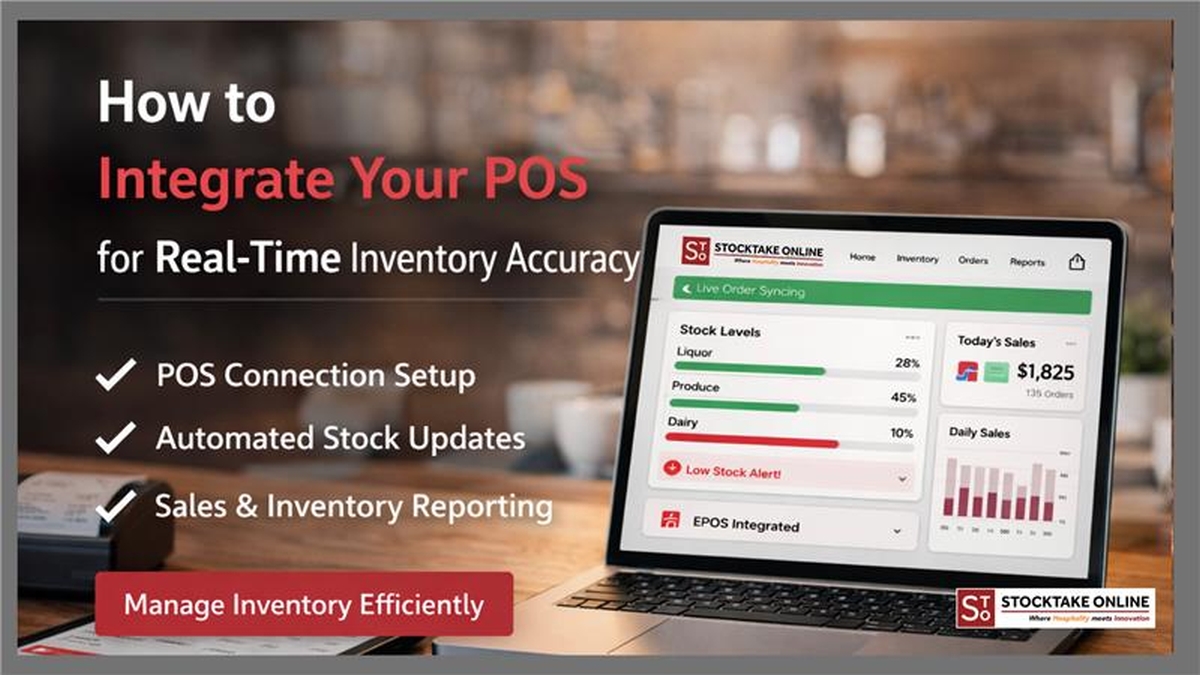
A Head Chef sees a busy Saturday night and assumes the margins are healthy. On Monday morning, the Finance Director looks at the purchase invoices and realizes the theoretical food cost is five percent higher than expected. This gap exists because the sales data sits in the Point of Sale (POS) system while the ingredient data sits in a separate spreadsheet. When you integrate your POS with inventory, you bridge this gap by turning every button press on the till into a precise ingredient deduction.
This guide explains how to move away from retrospective autopsies of your stock. We will cover the technical requirements for a successful sync and how StockTake Online ensures your sales data reflects your actual shelf life.
Why POS Integration is the Foundation of Food Cost Control
In a standard setup, sales data shows what customers bought, but inventory tracks what the kitchen consumed. Without a direct link, managers spend hours on manual matching. This process is prone to human error and usually happens too late to fix wastage issues.
The Problem with Disconnected Systems
When systems do not talk to each other, theoretical usage becomes a guess. You might know you sold 500 burgers, but you do not know if the kitchen used 500 or 550 patties until the end of the month. By then, the profit has already leaked out of the business.
Real-Time Visibility for Multi-Site Groups
For operations managing several locations, manual tracking is impossible to scale. Integration allows a Group Operations Manager to see variances across ten sites simultaneously. You can identify if one site has a portion control issue or a theft problem before it affects the quarterly profit and loss statement. Explore how our restaurant inventory management software centralises this data for enterprise brands.
What Real-Time Inventory Accuracy Actually Means
The term real-time is often misunderstood in hospitality. It does not mean your stock levels flicker every second a customer orders a coffee. Instead, it means your operational decisions are based on the most recent sales cycle rather than last month's figures.
Automated Recipe Deductions
Every time a waiter rings in a Classic Margherita, the system should automatically deduct 120 grams of flour, 80 grams of mozzarella, and 2 grams of basil. This level of detail is only possible when you integrate your POS with inventory at the recipe level.
Identifying Mid-Week Variances
Waiting until the end of the month to count stock is a reactive strategy. Real-time integration allows for spot checks on high-value items like steak or expensive spirits. If the POS says you sold 40 ribeyes but the fridge only has 35 left, you have a five-unit variance to investigate immediately.
Step-by-Step: How to Integrate Your POS with Inventory
Achieving accuracy requires more than just plugging in software. It requires a disciplined approach to data hygiene.
1. Clean and Standardise Your POS Data
Your integration is only as good as your PLU (Price Look-Up) list. If your POS has three different buttons for Large Latte with different prices but the same ingredients, the inventory system will struggle to map them correctly.
- Eliminate duplicate PLUs.
- Ensure modifiers are linked to ingredient deductions.
- Standardise naming conventions across all sites.
2. Map Menu Items to Standardised Recipes
This is the most critical step. You must link every sales button to a digital recipe card. StockTake Online allows you to build these templates once and roll them out globally. If the recipe is not accurate, the theoretical vs actual report will always show a false variance.
3. Sync Ingredient Units and Conversions
The POS sells a pint, but the supplier delivers a keg. Your software must handle these conversions without manual intervention. If your system cannot calculate how many 25ml pours are in a 70cl bottle, your alcohol variance reports will be useless. You can book a free demo to see how our conversion engine handles complex kitchen measurements.
Common Mistakes That Kill Integration Accuracy
Many restaurant groups fail to see a return on their software investment because they overlook the human element of data management.
Treating Integration as a Finance-Only Task
While the Finance Director needs the reports, the Kitchen Team generates the data. If the chefs are not trained on how to log waste or transfers between locations, the POS data will never match the physical shelf. Integration requires a culture of logging as you go.
Ignoring Voids and Comps
If a server voids a steak because it was overcooked, that steak is still gone from the inventory. If the POS integration does not account for wasted items or staff meals, your stock levels will appear higher than they actually are. Proper food cost control tools must capture these non-sales movements.
How StockTake Online Supports POS Integration
StockTake Online is built to work with the systems you already use. We connect with leading POS providers to ensure that sales data flows directly into your inventory modules without any manual uploads.
Our platform handles the heavy lifting of data processing. When you explore StockTake Online pricing, you are looking at a system that scales from a single independent bistro to a 50-site franchise. We provide 24/7 support to ensure your sync never drops, meaning your multi-site reporting remains accurate even during peak holiday periods.
FAQs on POS and Inventory Syncing
- Why is POS integration essential for accurate inventory? Without it, you have no theoretical usage data. You can count what you have, but you cannot know if that is what you should have based on what you sold.
- Can POS integration work for multi-site restaurant groups? Yes. Centralised integration allows you to maintain one master recipe list that updates inventory levels across all locations simultaneously, ensuring consistency in brand standards.
- Does POS integration slow down my front-of-house service? No. The integration happens in the cloud or via back-office syncing. It does not affect the speed of your till or your payment processing.
- What happens if I change my menu? When you update your POS menu, you simply map the new items to your recipes in StockTake Online. The system handles the rest, ensuring your stock levels stay accurate from the first day of the new menu launch.
Final Thoughts
Real-time inventory accuracy is no longer a luxury for high-end dining; it is a survival requirement for any hospitality business facing rising ingredient costs. By taking the time to integrate your POS with inventory, you turn your sales data into an early warning system for your margins.
The path to 100% accuracy starts with a single connection. If you are tired of monthly stock-take surprises and want to see how your data can work harder for your bottom line, we are here to help. Contact our team today to discuss your specific POS setup and start your journey toward real-time control.

| About Stocktake Online Stocktake Online is a leading cloud-based restaurant and hospitality inventory management software trusted by thousands of businesses worldwide. With over a decade of industry expertise and a 4.7+ star customer rating, the platform empowers restaurants, hotels, bars, catering companies, and cloud kitchens to optimise ordering, control costs, reduce waste, and maintain accurate real-time stock visibility across single or multi-site operations. Learn more at www.stocktake-online.com |